
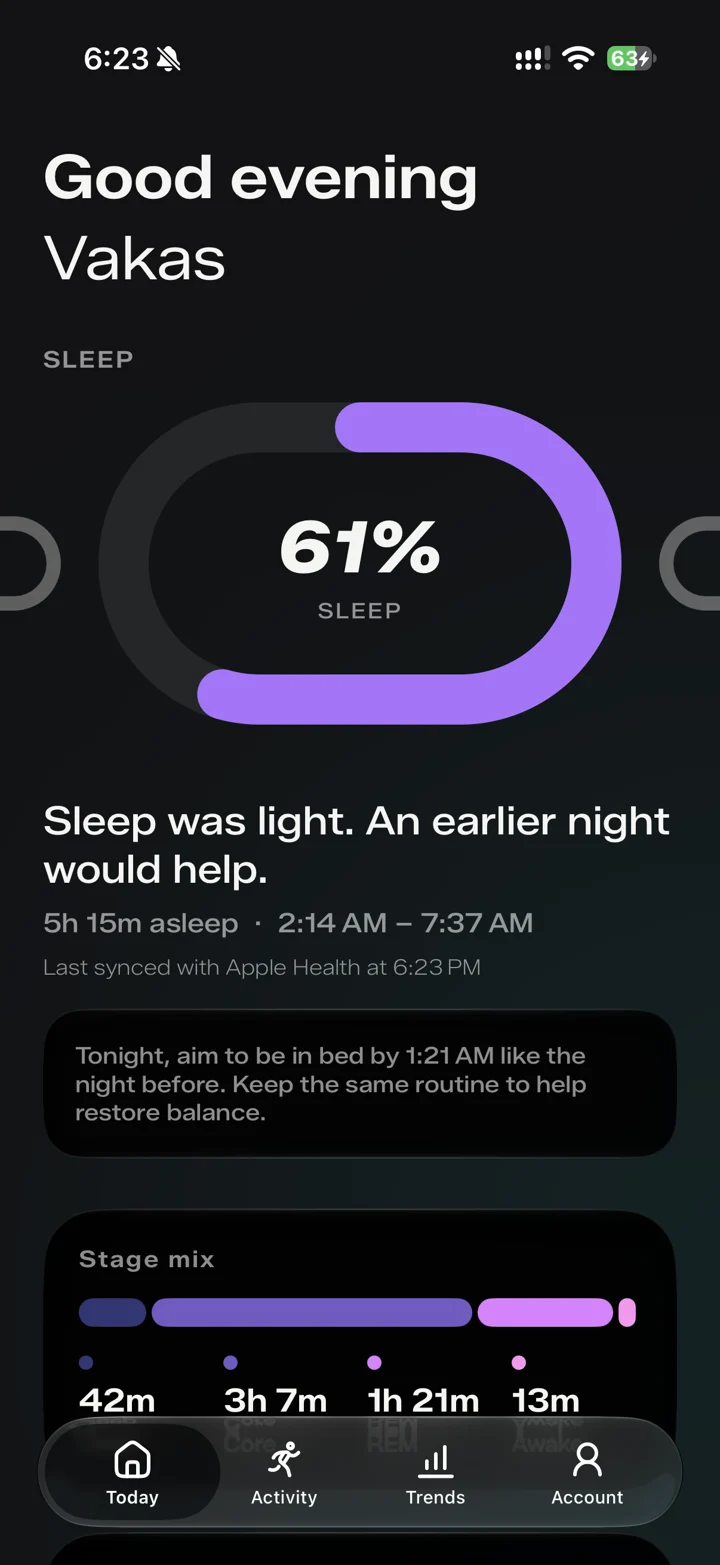
What sleep information does Rivel show?
The sleep screen brings together your score, total time asleep, sleep and wake times, and a stage mix. Deep, core, REM, and awake periods give you more detail than a single total.
How is sleep connected to readiness?
Sleep is one of the inputs used in Rivel’s readiness experience. Reviewing the sleep screen alongside readiness helps you see the context behind your daily check-in.
Does Rivel record sleep itself?
Rivel uses the sleep data available through Apple Health. Your Apple Watch supplies the underlying sleep information. If no sleep data is available, Rivel cannot reconstruct an unrecorded night.
What should I check if sleep information is missing?
First check whether the night appears in Apple Health. Then review Rivel’s Health permissions and allow your watch and iPhone to finish syncing. Missing source data and missing permission are different issues, so checking the source first helps narrow it down.
Is the sleep score a medical assessment?
No. Rivel’s sleep experience is for personal fitness and wellness. It does not diagnose sleep disorders or replace a medical assessment. The score is one way to review the information your device recorded.